
-
Platform
-
Solutions
-
Customers
-
-
Resources
-
Company








Next time, try CTRL + K to open the search
Automating a process can be complex, especially when it’s a long-running process with many steps and complex business rules, cross-cutting multiple departments and systems in an enterprise. To automate a process like this from end to end, you’ll need a process automation strategy and software. Assuming you’ve ticked both of those boxes, the next step is putting those things to work, which is the focus of this post.
But let’s cover process automation technology briefly before diving into the specifics of how to automate a process.
Use the best fit process automation technologies for the job
How you go about automating a process will change slightly based on the technologies in your tech stack. But just one technology isn’t going to cut it.
You need a full suite of technologies that work well together in order to effectively address your automation use case. Unless you’re automating just one small piece of a process, you’ll need more than one automation technology, whether that’s a combination of intelligent document processing, AI, robotic process automation (RPA), or something else. You’ll want all these working in tandem to automate the complexities inherent to enterprise processes, and you’ll want to be able to use them to orchestrate the flow of work between people and digital workers.
The steps we’ve outlined below will help you visualize what it’s like to automate a process. We’ll also provide some best practices to help you avoid common issues along the way.
5 steps to automate a process

1. Establish your data framework
The foundation of any effective process is data. To ensure your automated process delivers accurate, up-to-date results, start by building a data framework for your process.
This simplest way to do this is with a data fabric, a modern data management solution that unifies data across systems in a virtual layer. Rather than warehousing or meshing data, you get to use an easy point-and-click data modeling method to discover existing data sources and connect them to your applications. Depending on the automation platform you’re using, you can also define row-level security across the data fabric to grant unique user permissions for each application.
But regardless of how you build your data framework, it should enable you to access recent enterprise data in one place and easily connect it to your process. This is what enables your business to make data-driven decisions quickly.
2. Create an interface for your process
Once you have a data framework in place in the application where your process is housed, you’ll need to generate an interface for the application. The goal in this stage is to make the process as intuitive for the users as you can.
Based on the customization tools available to you, adjust your interface to fit your organization’s brand and add intuitive user experience elements. For example, Appian’s process automation platform allows you to build custom report dashboards, provide self-service analytics via AI, and automatically generate interfaces from PDFs in a few clicks.
3. Customize a process model to orchestrate technology and humans
Here’s the meat and potatoes of it all: the process model. This is where you’ll orchestrate the work of various automation technologies and human employees. You’ll need to set up your process model to decide when a human should be brought into the loop and when a technology can handle a task on its own, applying business rules to manage decisions with if-then situations. For example, if your process involves digitizing and classifying faxed forms and extracting information from them, you may want to use AI content processing to trigger automatic alerts to employees for exception management. But if your process involves something more tedious and repetitive, like reconciling single lines of data with other data sets, have RPA manage that instead.
So, in short, automating a process from end-to-end doesn’t mean you’re cutting humans out of the process completely. Sure, some small workflows can run completely autonomously, but these workflows only make up a small component of the kind of complex business processes most large enterprises rely on.
Get examples of how 15 organizations are making the switch from connecting processes via email and spreadsheets to end-to-end process automation in our guide.
Once you’re ready to share the application, it’s time to deploy it.
4. Deploy and test
Before deploying the application, check that relevant unit tests are configured, security is set up properly, and all necessary pieces are working for successful deployment. When you’ve smoothed out your workflow, some BPA software even allows you to automate a deployment pipeline to save additional time.
5. Optimize as needed
Once you’ve launched a process, use any capabilities provided by your automation vendor to continuously improve it. This process of discovering, monitoring, and optimizing is crucial to effective process automation. If you’ve built your apps on a low-code platform, you can change them as quickly as you built them (a composite organization representative of interviewed customers found that their active development time became 10x faster.
If you follow those five steps, you’ll bring together your data, systems, automation, AI, and people in one place, a unified digital space your organization can go to manage complex processes from beginning to end.
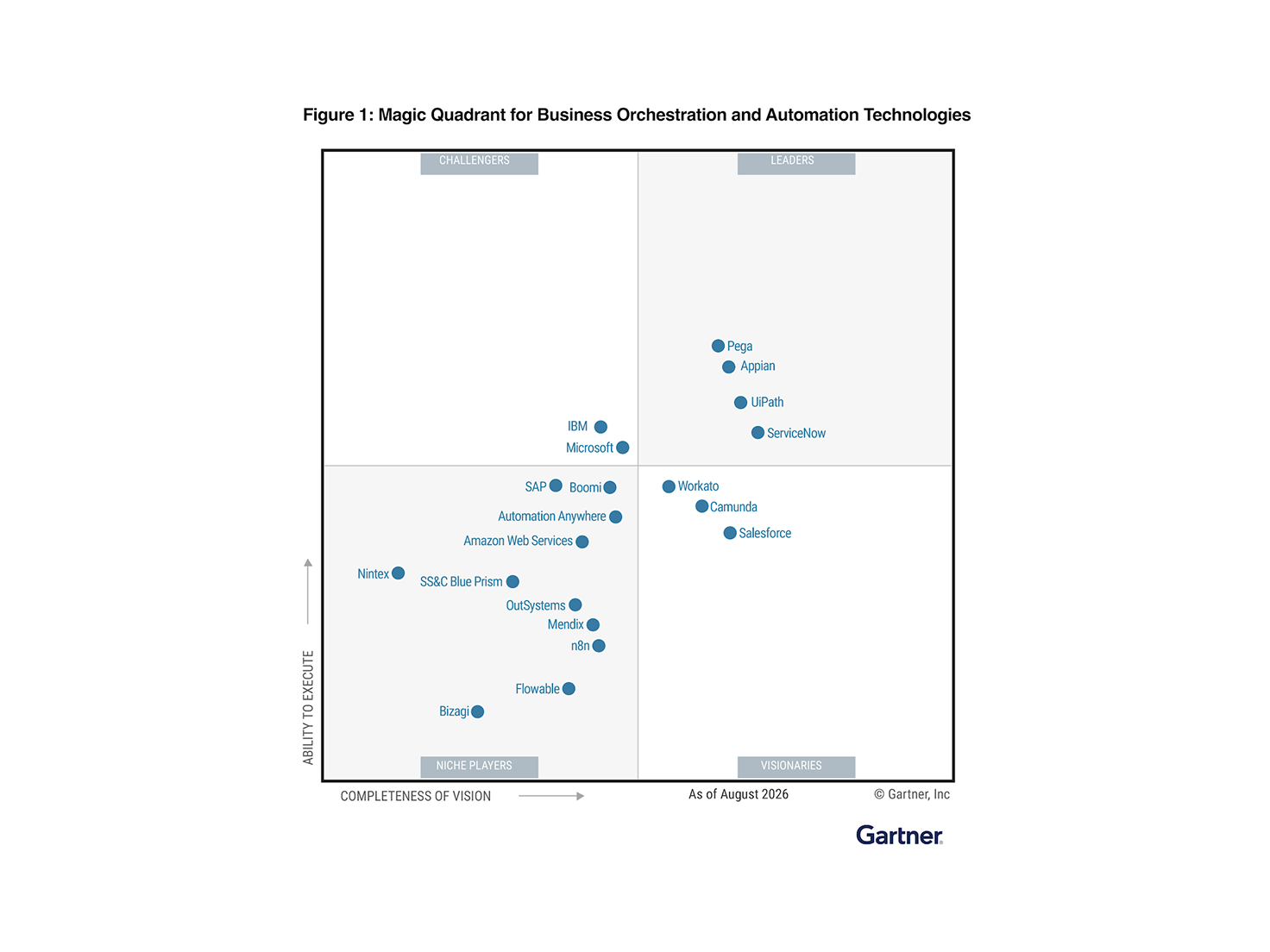
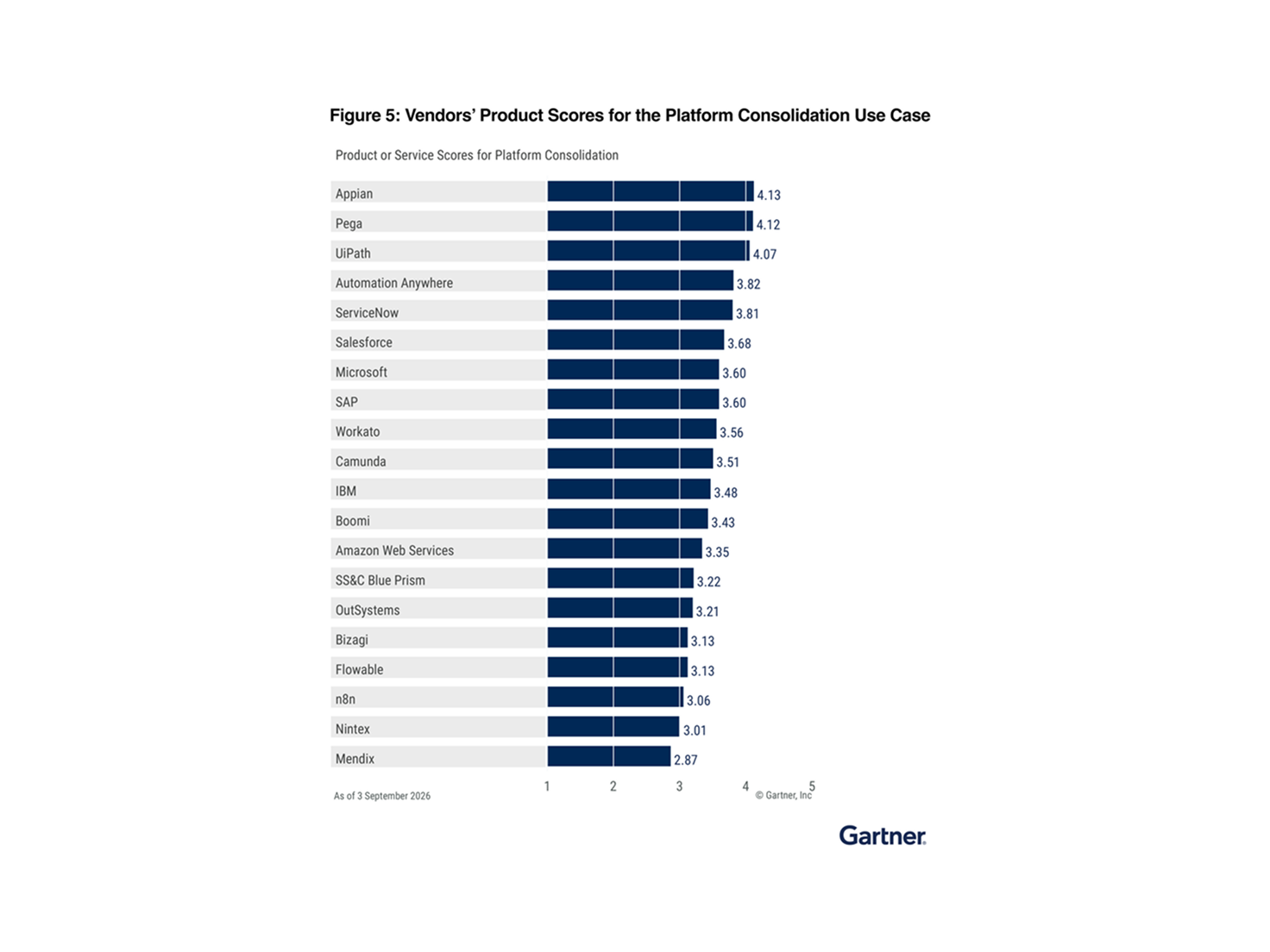
Find out why Gartner® named Appian a Leader in business orchestration and automation technolgies (BOAT). Get the 2026 report.
Automating a process is just the beginning
In the end, automating one process is a start, but it won’t get you to the wholesale digital transformation you’re seeking.
What’s next on your automation roadmap? Get the business process management guide.
